iSay.
Chinese voice input
at its best.
Press RightAlt. Let words follow your thoughts.
Windows 10 / 11 · x64 · No iSay subscription
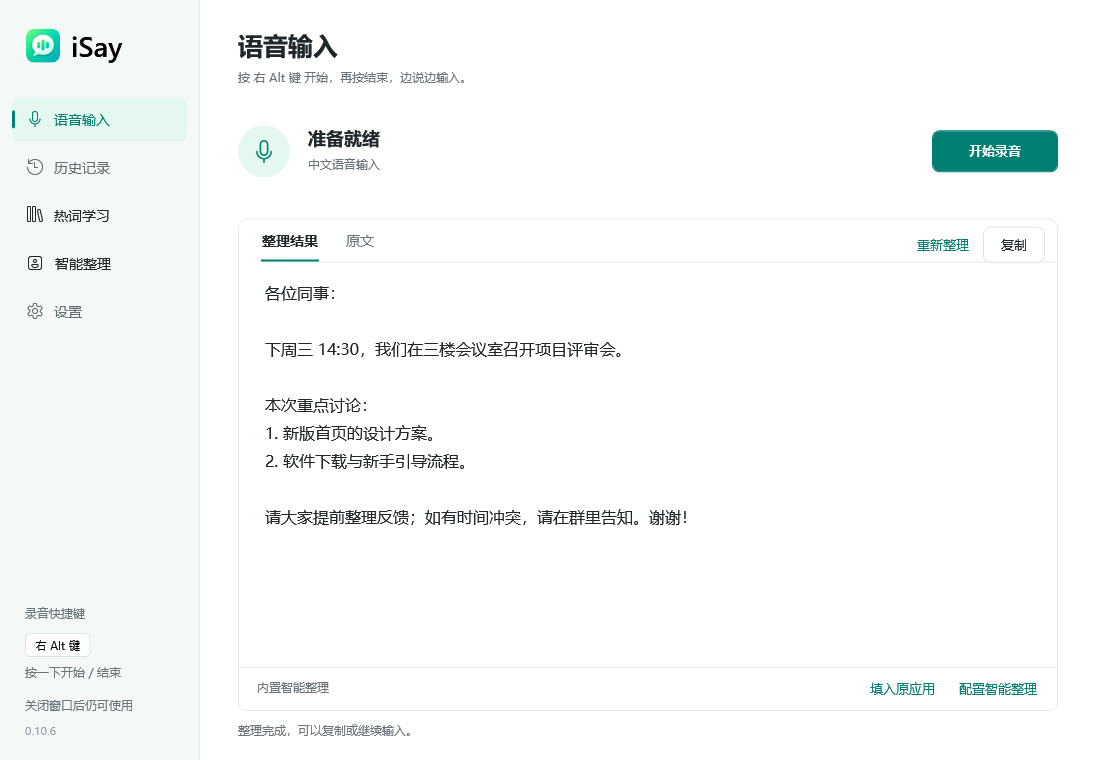
Stay with the thought.
Let the words follow.
Messages, emails, ideas and first drafts. iSay makes speaking a natural way to write, so a half-formed thought can become something worth keeping.
One key. Your own words.
Toggle with RightAlt, choose your own shortcut, or switch to hold-to-talk.
Keep the original thought.
Compare the transcript and refined result, then keep editing.
At home on Windows.
Insert into supported text fields, or review and copy from iSay.
Say what you mean.
Then make it read well.
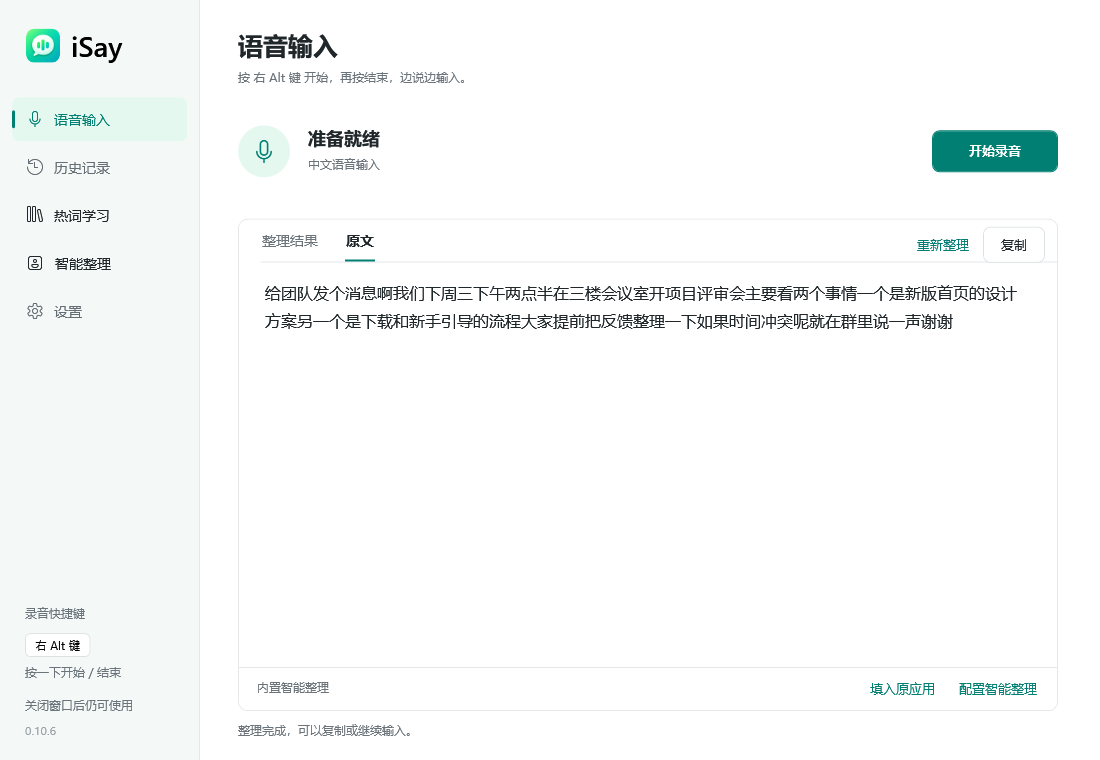
Speak first without getting caught up in punctuation. Refine when you need to, with the original transcript still there to compare.
- Switch between the transcript and refined result
- Tune punctuation and Chinese–English spacing
- Refine again, copy, or insert into the original app
Your vocabulary.
Your way of speaking.
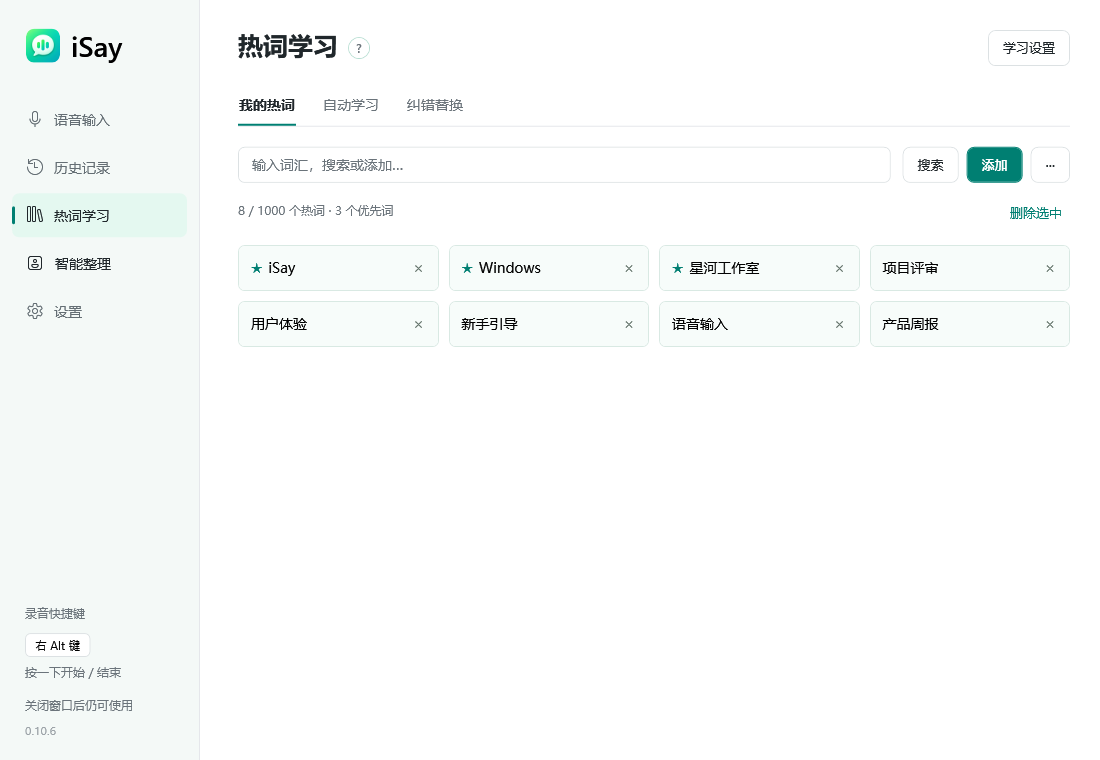
Project names, technical terms and the people you mention deserve a place of their own. Manage them in your personal vocabulary and choose the learning options that suit you.
- Add, search and manage useful terms
- Manage priority words and corrections
- Choose your own learning preferences
Said it once?
Keep it within reach.
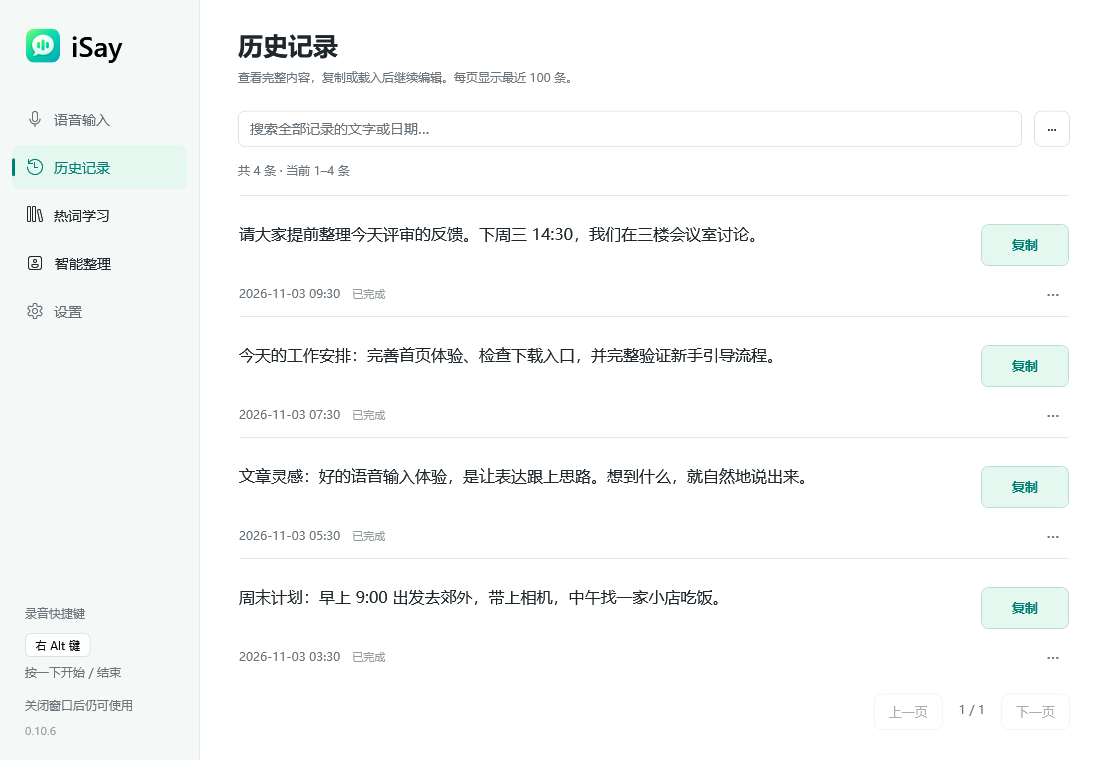
A meeting note, a work plan, an unfinished idea. Find it in local history, review the original and copy it wherever you need it.
- Search, review and copy earlier transcriptions
- History is retained for 30 days by default, with adjustable settings
- Audio file saving is off by default
Set it your way.
Make it feel natural.
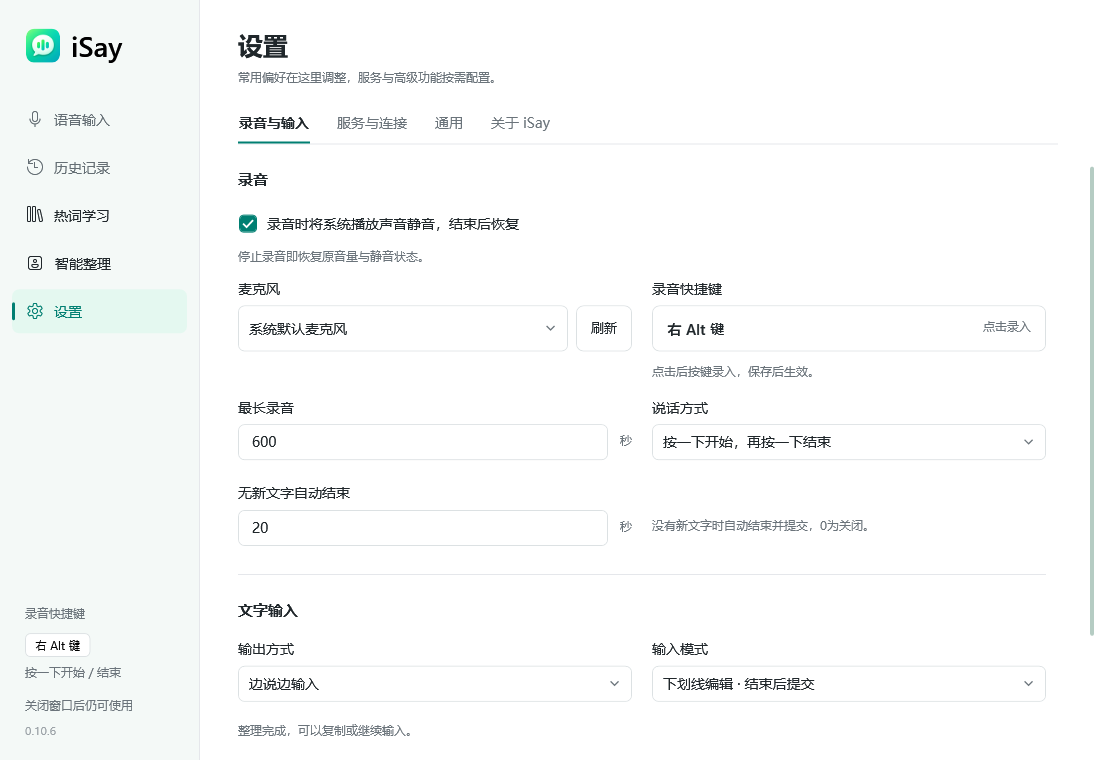
Choose a microphone, mute playback while recording, customize your shortcut, or switch the UI language. A floating recording bar and tray controls keep everyday input close at hand.
RightAlt toggle is the default. Sign-in startup and playback muting are enabled by default and can be changed.
Your first words.
Just a few steps away.
- 01
Download and install
The complete installer includes required runtimes and installs them when needed.
- 02
Choose your microphone
Open iSay, check Windows microphone permission and choose your usual device.
- 03
Press RightAlt and speak
Speak into a supported text field and press again to finish, or review and copy the result from iSay.
Chinese voice input at its best.
The iSay desktop app is free forever. We want speaking to feel like a natural, everyday way to write in Chinese on Windows.
Our goal is to make iSay your favorite Chinese voice input app on Windows, one useful detail at a time.
The free promise covers iSay itself. Optional third-party APIs may charge separately; upstream availability, quotas and terms remain with their providers.
Questions, answered.
Know what to expect before you begin.
What is iSay?
iSay is a multilingual voice input app for Windows. Start speaking with a hotkey, enter text in supported fields, and work with refinement, a personal vocabulary and local history.
Is iSay really free forever?
Yes. The iSay desktop app is free forever, with no iSay subscription. This promise covers the app itself. Optional third-party speech or AI APIs may charge separately, and upstream availability, quotas and terms remain with their providers.
Which Windows versions are supported?
The installer targets Windows x64, requiring Windows 10 version 2004 (build 19041) or later, including Windows 11. Installers for macOS, Linux and Windows ARM64 are not available.
How do I start dictating?
Install iSay, choose your microphone and check Windows microphone permission. Focus a supported text field, press RightAlt to start, and press again to finish. You can also use the recording button or copy a result from iSay.
Can I dictate into chats, documents and email?
Direct input works in supported text fields. Compatibility varies between apps; try plain-text compatibility mode or review and copy the result from iSay when needed.
Can I compare the transcript and refined result?
Yes. Switch between the original transcript and refined result, refine again, copy, or insert into the original app. Styles and results depend on the selected service; a compatible custom API also supports clear paragraph formatting.
Where are recordings and history stored?
History is stored locally and retained for 30 days by default; audio saving is off by default. These options are configurable. Online recognition or refinement sends required content to the selected service; local history does not mean audio always stays on your device.
Do I need internet access or separate runtimes?
Current built-in recognition and refinement depend on third-party components and services; full offline operation is not promised. The complete installer includes .NET and VC++ prerequisites and installs them only when needed.
What is the current version and update method?
The current release is complete installer preview 0.10.6. Clean Windows 10 installation and real microphone recognition still need acceptance testing. Try it with your usual apps first. The installer has no Windows publisher signature yet. Automatic checks are enabled. Check, download and install app updates in Settings > About; native component changes require the full installer.
What if recording produces no text?
Try the recording button, check your microphone, Windows permissions and network, then separate recognition problems from text-field compatibility. If it persists, report your Windows and iSay versions and reproduction steps on GitHub Issues, removing private content first.
Chinese voice input
at its best.
Free forever
Download for WindowsWindows 10 / 11 · x64 · 0.10.6 · 192.22 MiB
Complete Windows installer preview
Includes the current components and prerequisite installers. Try this preview with your microphone and everyday apps first.
Release notes and checksums ↗